Table Layout
Table layout allows arranging content panels in a tabular fashion (see the picture below):
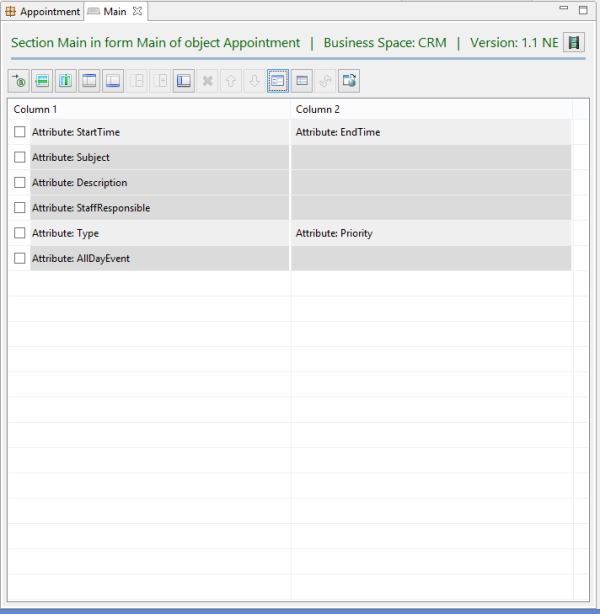
Unlike the Column Layout, panels in the table layout form not only columns but also rows. Panels belonging to the same row are aligned at the top. It is possible, however, to indicate that a particular panel spans several rows or columns by setting the corresponding properties of the content panel (see the picture below):
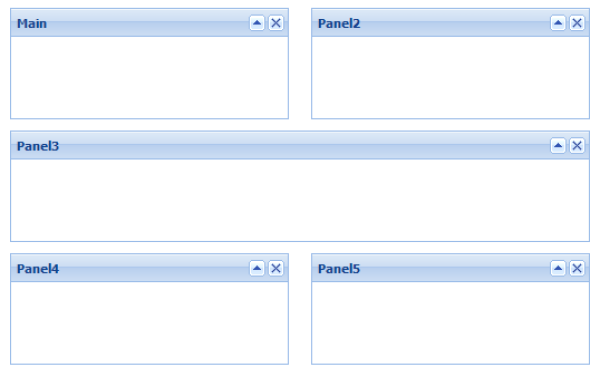
The content panel in the second row spans two columns.
When you select the Table layout you must also specify the number of columns in the table (in the Layout Properties tab). The panels are traversed “from left to right” – for example, the second panel in the table becomes the second in the row, the third panel becomes the first in the second row if the table has two columns or the third in the first row if the table has 3 columns. The following table shows the properties of the content panels for the picture above (the number of columns for the layout has been specified as 2):
| Name | Width | Height | Column span | Row span |
|---|---|---|---|---|
| Main | 250 | 100 | ||
| Panel2 | 250 | 100 | ||
| Panel3 | 520 | 100 | 2 | |
| Panel4 | 250 | 100 | ||
| Panel5 | 250 | 100 |